TSC email Activation Period for teachers employed by the Teachers Service Commission runs from the 1st of February to the 30th of April 2021 which is the deadline.
TSC Email Activation Guidelines for Teachers, Email Activation Link, and Activation Procedure
The procedure of activating the individual official TSC email address account is as follows:
- Access the Commission Website (www.tsc.go.ke). Or simply Skip step 1 and 2, by clicking directly to this link: (https://tscsearch.azurewebsites.net/)
2. Select Online Services and from the drop-down select Teachers Email Activation.
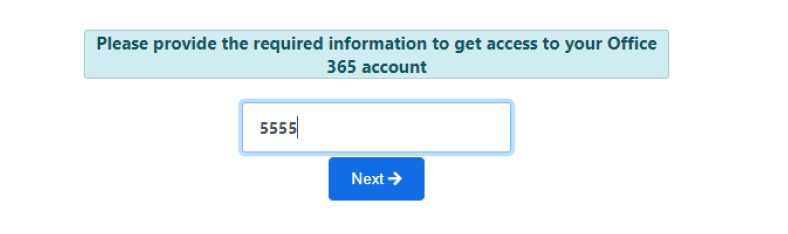
3. A new page (https://tscsearch.azurewebsites.net/) will load with a field where you will be required to fill in your TSC Number and click next.
4. A new field requiring ID Number will appear, fill and click VERIFY.
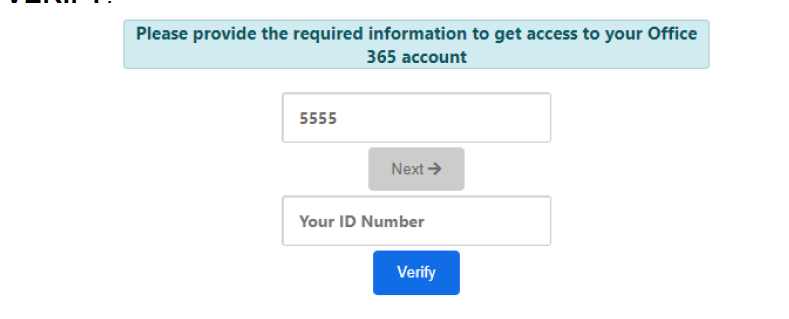
5. Verify the images and click Verify.

Read Also: How Teachers Can Open, Create a New TPAD2, Activate, Login, and fill in the Appraisal document
6. Your details which are already uploaded in the Commission System will be verified.

7. Click on the eye icon to view and record your official email and the temporary password.
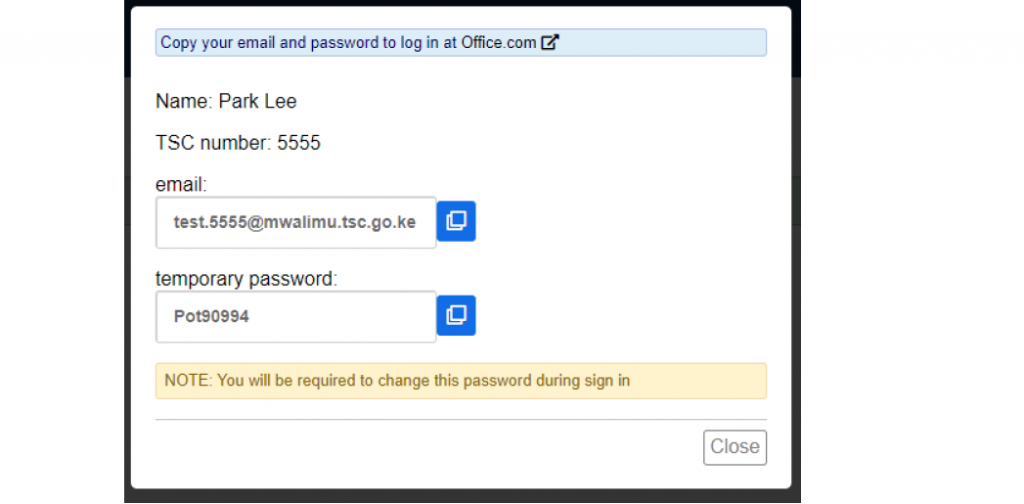
8. Click on the office.com to go to the site.
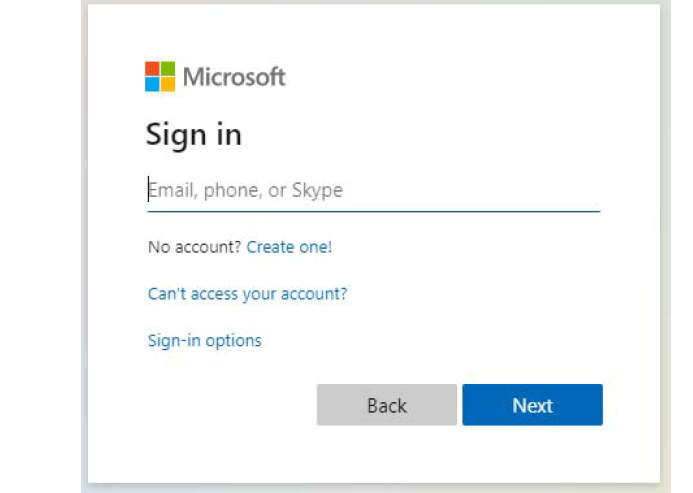
9. Enter your email as per the record you had taken.
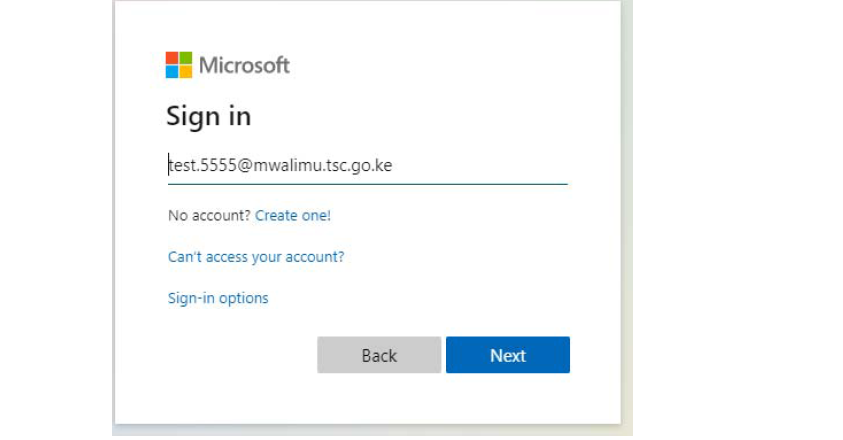
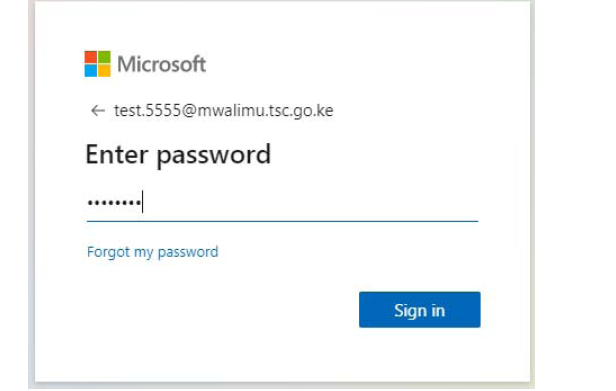
10. Enter the password you had recorded.

11. Click next to continue.
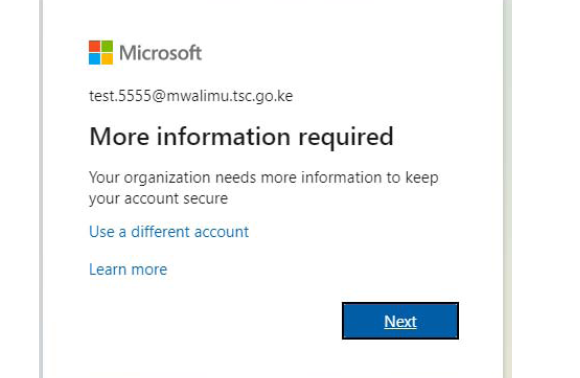
12. Additional information will be needed to secure your account and for future password verification.
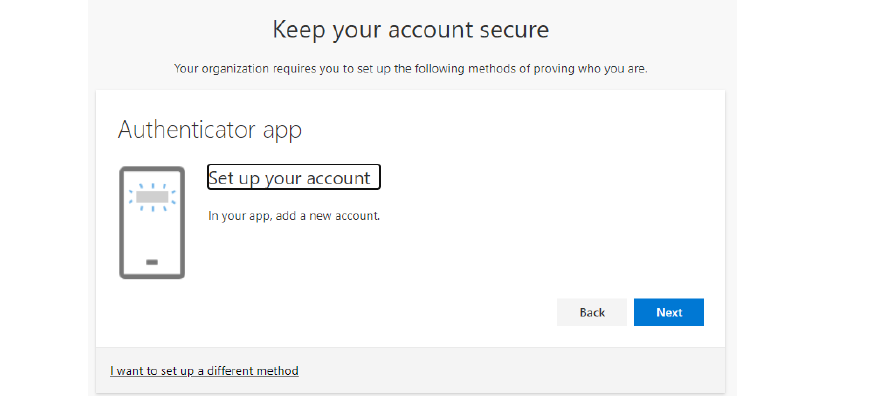
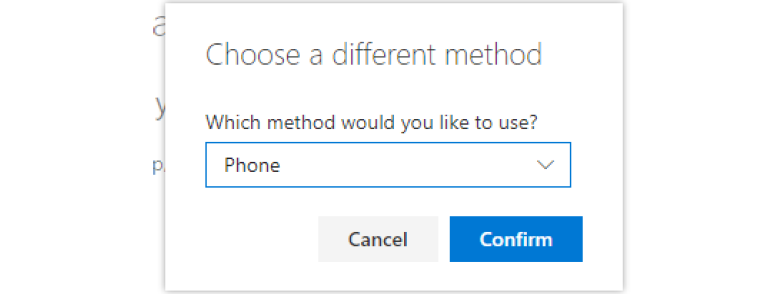
13. Select I want to set up a different method
14. Click on the drop down and select phone.

15. Then click confirm.
16. Next field will request the teacher’s mobile number. This number must be the teacher’s mobile number, it will be used in the future to reset passwords and carry-out other important Commission Transactions including pay-slip activities.

17. Select the Country and enter the mobile number. This must be your number and you should have the phone with you.
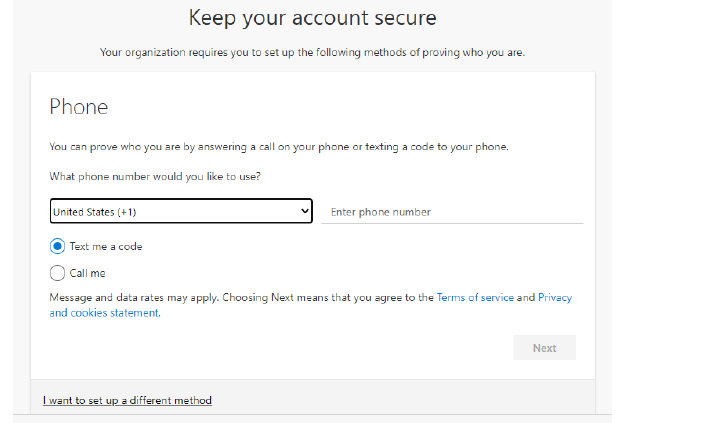
18. Once done as below, click next.

19. A code will be received in the phone provided for verification. Enter the code in the space provided as below and click next.
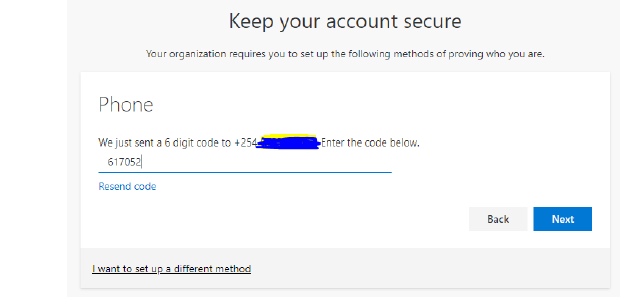
20. Once the code entered the account will now be activated. Click next to proceed.

21. Click Done to complete the process.

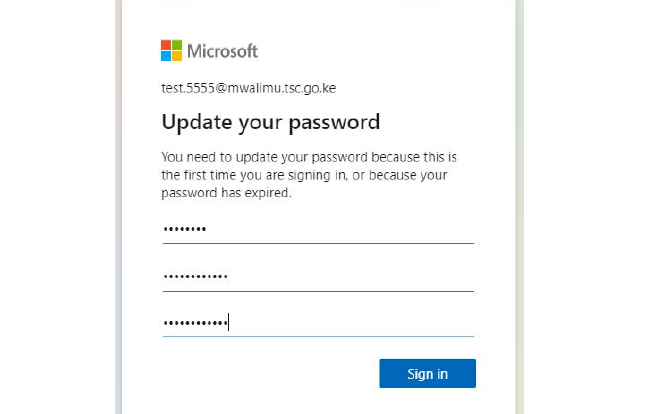
22. You will now required to change the password to put yours.

23. Enter the password recorded earlier as the “Current password”, then enter your new password and confirm it. Don’t share this password with anyone as it will compromise your accounts.
24. The account is now readt for use. Enter the email address and Click Next.

25. Enter the code sent to your phone and click Next.

26. Click on the box Don’t show again and select No to proceed

27. Click on the outlook icon to access your emails.
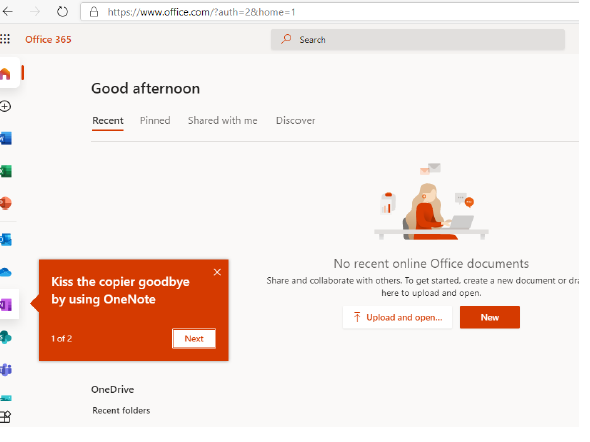
28. Your email account is now ready for use.

29. Always remember to sign off once done if you are using a public computer.
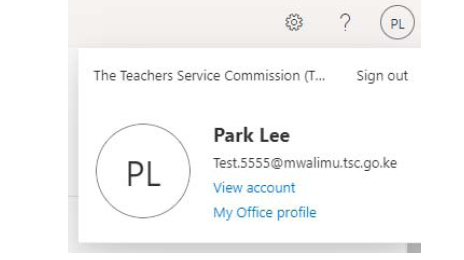
- NB: You can also download outlook app and install into your phone or tablet/iPad for those with smartphones.
Read Also: TSC Online Transfer Application Now Open, Here is how to Apply
For any queries related to the email activation, you can get assistance from the ICT Champion teachers, TSC office near you or you can email to [email protected]
There you have it, the complete procedure to activate you TSC email address account.
Great info. Keep up guys
Thank you Zadock.
Great info. Keep up guys
Thank you Zadock.
That’s my email
That’s my email